
A custom CRM, as a subscription
A custom CRM that follows your process, paid for per month. Hosting, management and ongoing development are part of the amount, with no package licences on top.
- Fits your process, not the other way round
- No package licences on top
- Keeps being developed within the subscription
Built for, among others





What is a custom CRM as a subscription?
A custom CRM is an application that follows your process exactly: your steps, your fields, your roles, your terminology. Built on Next.js, Supabase, Vercel and Resend, with a separate environment for every client.
What differs from the usual routes is the form in which you buy it. With a package you pay licences and every change is a separate project. With classic custom development you pay for the build first and for every hour after that. Here you pay a monthly amount that covers hosting, monitoring, backups, security updates, management and ongoing development.
Requests are submitted from inside the CRM, on the screen they relate to. They are prioritised and built within the subscription. There is no quote per change and no timesheet.
You know what you pay each month, and you know the system keeps moving along with what you do.
What a custom CRM looks like
Six screens from CRMs that are running at clients today. Not designs, but the actual setup.
The overview the day starts with
Open orders, returns and stock alerts sit on one screen, in the shop's own terms. Whoever logs in sees straight away where action is needed.
From the CRM of IT'S PAWSOME
A budget per employee, requests via the manager
Every employee has a clothing budget; anything beyond it goes to the manager as a request. Allocated, spent and remaining are on one screen per department, with no spreadsheet on the side.
From the CRM of RoPa Workwear
Updating the client from the order screen
An order shows what was ordered, what has shipped and what is still open. From that same screen a message goes to the client, with a text you adjust yourself first.
From the CRM of RoPa Workwear
All mail with the client, in order
What has been sent sits in a timeline with the client, including the text that went out. Nobody has to search a mailbox for who mailed what and when.
From the CRM of IT'S PAWSOME
The client's question in fixed steps
Requests come in through an intake with fixed fields, so a request is always complete. What the client fills in lands straight in the case file.
From the CRM of De Leasebaas
The client follows their own case file
Clients log in and see their own proposals, documents and status. They only see what has been shared with them.
From the CRM of De Leasebaas
Wondering whether this fits you?
Schedule an introductionFrom practice
Custom CRM in practice
 Custom CRM
A custom CRM for De Leasebaas, including a customer login
One request goes out word for word identical to every leasing company. What comes back is read out and put side by side, so comparing is no longer a reading exercise.
Read the story Custom CRM
A CRM of its own for Next Win, used by external callers too
An internal CRM that external callers work in too, without seeing more than their own call list. That separation lives in the database, not in the screen.
Read the story Custom CRM + webshop
One system for RoPa Workwear, with clothing management at its core
Clothing management for business customers sits at the core of the system: a budget per employee, sizes per person, and a request that goes past the manager.
Read the story Custom CRM + webshop
A custom CRM and webshop for IT'S PAWSOME
One paid order writes off stock, files the invoice in the bookkeeping and registers the shipment. A repeated message from the payment provider changes nothing.
Read the story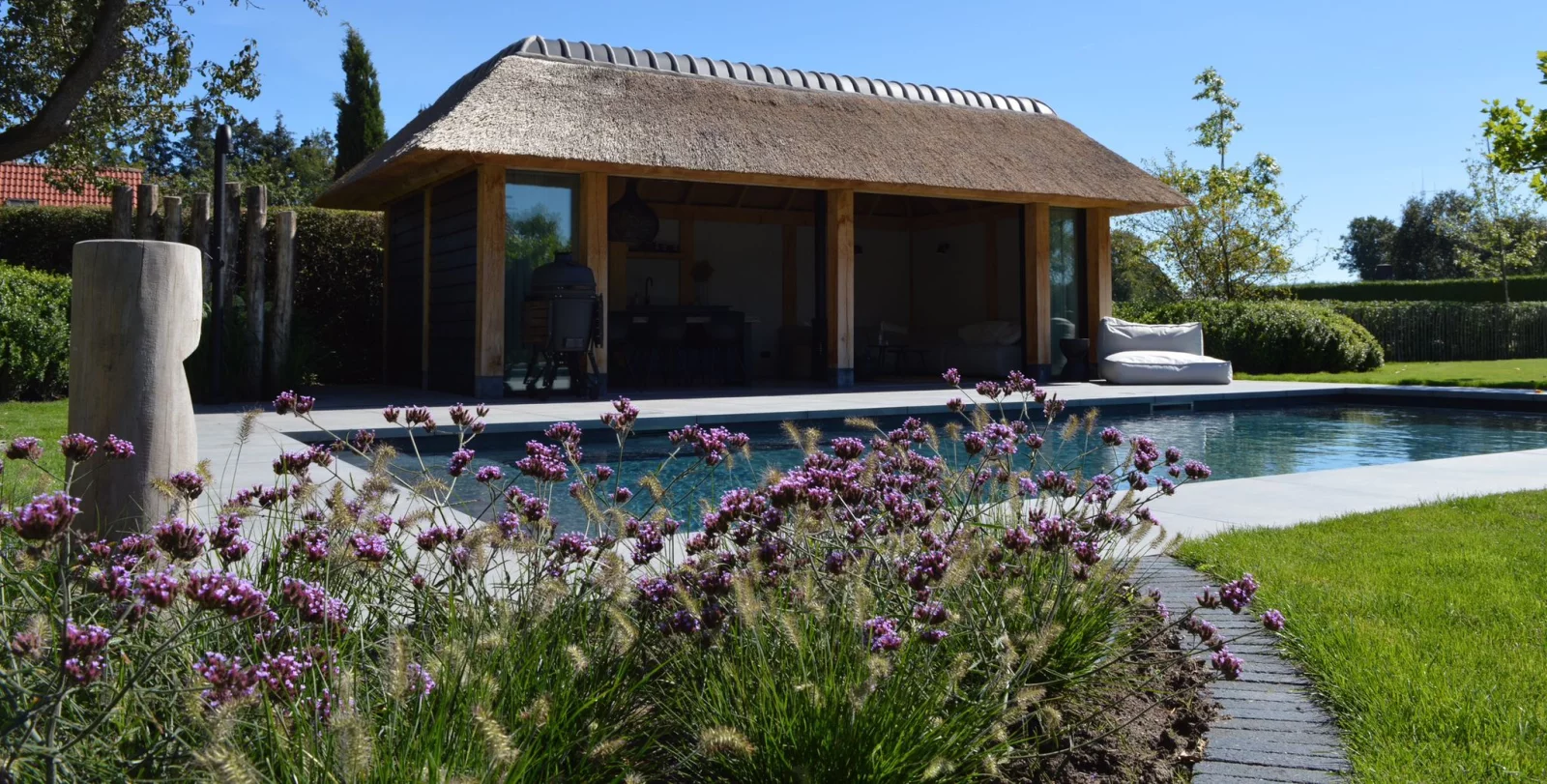 Custom CRM + webshop, under construction
One environment for Hartog Outdoor Living, from webshop to customer portal
Webshop, configurator, customer portal and CRM are being built as one environment, with a single go live. This story describes a project in progress, not a result.
Read the story
I didn't expect it to move this fast. What's there now follows exactly how we work, and Pascal keeps thinking about what else the system can do for us. That brings up ideas I wouldn't have come up with myself.
What does a custom CRM cost?
The monthly amount has three components. The first user is part of the fixed amount. Nothing is added for the build itself.
Hosting, backups, security and management of the environment, including the first user.
Each additional employee or partner who works in the CRM.
Clients or external parties with only a portal login. Taken in bundles of 20, €20 per bundle.
No start-up costs. Minimum term of 12 months, then cancellable monthly with 1 month's notice. All amounts exclude VAT. Annual indexation on the monthly amount.
Work out your own situation:
What would your custom CRM cost?
Set the number of users and the assumptions to match your own situation. Alongside the licences, the comparison also counts the build and the management of a Salesforce environment.
Calculated at €95 per hour.
€520 per month, including setup, hosting, management and ongoing development.
- Licences: €10,500 per year
- Implementation, one-off: €91,200 (1 developer × 6 months)
- Ongoing development and management: €19,760 per year
Over 3 years that is a difference of €163,260.
All amounts exclude VAT. Minimum term of 12 months. Ongoing development runs within fair use: 1,000 AI calls, 10,000 emails and 25 GB of storage per month, with usage above that charged on. List price Salesforce Enterprise €175 per user per month, checked on 2026-08-03. The implementation estimate counts 160 hours per developer per month. Actual prices and effort differ per organisation; portal users are not counted on the Salesforce side.
The difference is not in the licence price but in what you pay alongside it. With a custom CRM the setup and the ongoing development sit inside the monthly amount: no implementation project up front, no separate budget for changes afterwards. For a large team with a standard process a package can still work out cheaper.
What does the subscription include?
No separate hosting contract, no management retainer alongside it, no hourly rate for small changes.
Hosting
Vercel and Supabase in eu-central-1, with a separate project per client. No shared database with other organisations.
Monitoring and backups
Monitoring of the environment and daily backups of the database and the files.
Security updates
Dependencies are tracked and updated, even when nothing changes functionally.
Management
Users, roles, mail templates and manuals. Inviting people and revoking access is something you do yourself from within the CRM.
Ongoing development
The request list is prioritised and built. Small improvements are picked up as a matter of course; a new module is planned in consultation.
Text AI in the application
1,000 calls per month for reading documents, summaries and chats inside the CRM.
Mail and storage
10,000 outgoing emails per month through Resend, on your own domain, and 25 GB of storage.
Usage above the bundles
Above the bundles the rate is cost price plus 25 percent, charged monthly in arrears with a specification. Image and video generation are always charged on, including within the bundle.
Not included: your website, image and video generation, and external data services with a contract of their own.
Why this can be this affordable
The framework and the base data model are the same for every client: companies, contacts, case files with a status line, roles, mail, documents, a portal. None of that has to be thought out and built again; it is there on day one, and it is already in use at several clients.
The best practices have been applied several times already: access control in the database, mail that always passes a review window, documents from templates, feedback on the screen itself. What was worked out for one client does not have to be worked out again for the next.
No package licences underneath and no implementation partner in between: hosting on Vercel and Supabase costs tens of euros per month, not hundreds per user. The monthly amount pays for the work, not for the layers in between.
Why not just Salesforce?
CRM Force implements and manages Salesforce as well. For larger organisations with a standard process that remains a good choice: the package is mature, there is an ecosystem around it and you can find people for it.
For SMEs with a process of their own it is usually less suitable. Licences per user weigh heavily in a small team, every change needs a specialist, and a portal for clients or partners costs extra licences. A custom CRM starts from the process and charges a fraction of that per user.
When a standard package is the better fitHow it starts: a conversation, then the intake at your own pace
It starts with a conversation. If the product fits what you are looking for, you start the onboarding on this site: an account, with an intake chat inside it. There you describe, typing or speaking through the microphone, your company, the processes, the roles, the data you keep, the status lines and the integrations you need, in a chat. Not a sixty-question form, but a conversation you can interrupt and pick up later.
Two things come out of that chat. Pascal receives a structured requirements document to build from. You receive a readable summary of what you described, with a price indication based on the number of users you mentioned.
Prefer to go through it together? There is a button for that in the intake and we schedule a session. The chat itself makes no commitments about features, prices or lead times; that conversation is one you have with Pascal.
Part of such an intake
Anonymised example from an installation company.
Where does a job start for you? Does a request come in first, or is there already a contract?
Both. New installations go out as a quote, and alongside that we have around 400 maintenance contracts that come round every year.
How do you know when one of those annual visits is due, and who puts it in the schedule?
It sits in a spreadsheet per region. The planner assigns engineers, usually two weeks ahead. The moment somebody calls in sick it falls apart.
And the engineer on the road, what is needed on site?
The work order on the phone: what was done, which materials went in, and a signature from the client. Right now that is on paper and the office types it over.
Do clients see anything themselves, or does all communication run through the office?
Everything through the office. It would help if they could look up their contract and the most recent work orders.
Extract from the requirements document
Processes
- Quote process for new installations, with versions per quote
- Annual cycle for maintenance contracts: one scheduled visit per contract within a date window
- A work order per visit, signed off digitally by the client
Roles
- Planner: sees the whole week and distributes work orders across engineers
- Engineer: only their own work orders, laid out for a phone
- Office: contract management and invoicing
Client portal
- Contract, scheduled visit and completed work orders visible
- No view of purchase prices for materials
From request to functionality
There is no ticket queue and no timesheet. What there is: a visible list of what is open and what is done.
- 1
You leave a note on the screen itself
On every screen in the CRM you can leave a note, attached to the element it is about. A screenshot can go with it.
- 2
Setting priorities
All open notes come together in one overview. Small improvements go into the next round; a new module is planned in consultation.
- 3
Built and rolled out
The change goes live and the note is marked as handled, in the same place where you left it.
- 4
The manual follows
When a screen changes, the manual for that role is updated. It sits inside the CRM itself, as a PDF per role.
Not sure whether this fits you? Half an hour on a call gives you the answer.
Schedule an introduction
Who you work with
Pascal van de Braak of CRM Force is your point of contact, from the first conversation to every request after that. He sets up the process: what the CRM has to do, in which steps it runs and with which permissions, and he keeps the wish list.
No project manager or helpdesk in between. Whoever sits in the first conversation is also there at delivery and for every change after that. For the build work, CRM Force works with a fixed development partner, so the capacity is there without you dealing with a second party.

The foundation your custom CRM starts on
Nine modules every client gets: login and roles, companies and contacts, a case file with a status line, mail, documents, a portal, user management, manuals and feedback.
The foundation your custom CRM starts on
Nine modules every client gets: login and roles, companies and contacts, a case file with a status line, mail, documents, a portal, user management, manuals and feedback.
Every client starts on the same nine modules, taken from a CRM that is already running. That saves build time, and therefore money.
Login and roles
Supabase auth with roles for administrator, employee, partner and client, and row-level restrictions in the database.
Companies and contacts
Clients, prospects and suppliers with an owner and an activity log per company.
Case with a status line
A track with fixed steps, dates per step and the option to move a step back.
Mail behind a window
No mail leaves automatically. Every step opens a window with editable text and a live preview, and everything is logged.
Documents from templates
Quotes, agreements and letters from templates, filled with the data of the case and delivered as PDF.
Client portal
Clients and partners log in and see only what has been shared with them.
User management
Invite people, set roles and revoke access from within the CRM, without going through us.
Manuals
PDF manuals per role, inside the CRM, kept in step with changes.
Feedback module
A note on every screen, with an overview of what is open and what has been handled.
This foundation is a starting point, not a straitjacket. Everything in it can be rebuilt: other fields, other steps, other names. Whatever your process does not know goes out.
What it runs on
 Next.js
 Supabase
 Vercel
 Resend
 Mollie
 Claude
Who owns the CRM?
The data is and stays yours and goes with you in full when you stop; the code stays with CRM Force, with a takeover by arrangement.
Who owns the CRM?
The data is and stays yours and goes with you in full when you stop; the code stays with CRM Force, with a takeover by arrangement.
- The data is yours and stays yours. On termination you receive all of it: an export of the database plus the files.
- Your environment runs on its own Git repository and its own Supabase project. No shared database with other clients.
- You can stop after 12 months, monthly from then on with 1 month's notice. After termination the environment is switched off; your data you already have.
- Your website sits outside all of this. It stays where it is, or it is a separate product.
Have a CRM built, buy a package, or take this subscription?
Seven points side by side: cost up front, cost per month, changes, ownership of data and code, who manages it and cancellation.
Have a CRM built, buy a package, or take this subscription?
Seven points side by side: cost up front, cost per month, changes, ownership of data and code, who manages it and cancellation.
Three ways to get a CRM, side by side on the points where they actually differ.
| Package (Salesforce) | Classic custom build | Custom CRM | |
|---|---|---|---|
| Cost up front | Configuration and migration as a project | The build, usually tens of thousands of euros | No start-up costs |
| Cost per month | Licences per user, including for people who rarely log in | Hosting and a management contract, or nothing until something breaks | A fixed amount including one user, plus an amount per additional user |
| Changes | A separate project or consultancy hours | Per hour, with a quote up front | Within the subscription, in order of priority |
| Ownership of data | Yours, exported through the vendor | Yours | Yours, with a full export on termination |
| Ownership of code | Not applicable, the package belongs to the vendor | Yours, once the build is paid for | Stays with CRM Force; transfer by agreement |
| Who manages it | An in-house administrator or an implementation partner | Your own team or an agency on call | CRM Force, included in the monthly amount |
| Cancelling | Usually per contract year | Not applicable, you hold the code | Monthly after 12 months, with 1 month's notice |
A package is not by definition the more expensive choice. when a standard package is the better fit.
Frequently asked questions about a custom CRM
What does it cost to have a custom CRM made?+
There are no build costs up front. You pay €200 per month as a fixed amount, which includes one internal user. Each additional internal user costs €75 per month, and portal users cost €1 per month, taken in bundles of 20 (€20 per bundle), all excluding VAT. A team of five therefore lands at €500 per month. Portal users for clients or partners cost next to nothing, so a large portal barely moves the amount.
How long does it take to have a custom CRM built?+
In practice a working version in which you can create your own cases stands within a few weeks, and a complete system takes two to four months. That is because every client starts on a foundation that already runs: login, roles, companies, cases, mail, documents and a portal. How fast it goes after that depends on the number of integrations and on how quickly you can say what needs to be different.
Is a custom CRM more expensive than Salesforce or HubSpot?+
That depends on the number of users. Salesforce Enterprise has a list price of €175 per user per month; at five users that is €875 per month in licences alone, before configuration and management. This subscription costs €500 per month at the same number, including hosting, management and ongoing development. For large teams with a standard process that comparison turns around, because the amount per user rises here as well. On top of that, a Salesforce implementation from scratch still has to be built: count on one to two developers for six or seven months, and on hours for ongoing development and management after go-live.
Who owns the data and the source code?+
The data is yours, always. On termination you receive a full export of the database plus the files. The source code stays with CRM Force for as long as the subscription runs. If you want to take it over, we make an arrangement for that in consultation.
What happens if I want to stop?+
The minimum term is 12 months. After that it is cancellable monthly with 1 month's notice. On termination we hand over the data and you revoke our access to the environment. The environment is switched off afterwards.
What if I want something that is not in there yet?+
Then you leave a note on the screen it relates to. Small requests and improvements are picked up within the subscription, without a quote and without hours. A whole new module, such as a quote process or a commission calculation, is planned in consultation; if it changes the character of the application, an increase of the monthly amount can go with it. We agree that beforehand, not afterwards.
Where does the CRM run, and what about backups and security?+
On Vercel and Supabase in eu-central-1, with a separate project per client rather than a shared database. There are daily backups of the database and the files, and dependencies are tracked and updated. Restrictions apply per row in the database, not only in the screen: anyone with no business seeing a record does not get it through the API either.
Can clients or partners log in as well?+
Yes. The client portal is part of the foundation. Clients and partners log in and see only what has been shared with them. Such a portal user costs €1 per month instead of the rate for internal users, taken in bundles of 20 (€20 per bundle), so hundreds of client logins barely affect the monthly amount.
Curious what a custom CRM would cost you?
Half an hour on a call tells you whether this fits and what it will cost per month. If it does not fit, we say so.