
RoPa Workwear
One system for RoPa Workwear, with clothing management at its core
RoPa Workwear supplies workwear to companies. The old shop ran on WooCommerce with seven separate plugins, where every change touched three others. It became a single application in which clothing management for the business customer is not bolted on but built in.

About RoPa Workwear
RoPa Workwear supplies workwear to companies. The catalogue holds around 4,400 products from the supplier feed, and printing and embroidery are done in house. Customers are rarely a single buyer: they are companies where every employee needs something.
CRM Force built this together with Next Win. Next Win works on custom software and webshops, CRM Force on the design of the customer and order process. For the client that means one team instead of two suppliers pointing at each other.
The challenge
What RoPa needed did not exist off the shelf, so over the years it had been built around the shop: a plugin for the product import, one for branding, one for the customer portal, one for the complete outfits. In the end there were seven. Each part did its job, but changing a category meant looking in four places.
The part a business customer actually needs was exactly the part nobody sells ready made. A clothing budget per employee, sizes recorded per person, a request that goes past the manager, and a logo that differs on the back from the one on the chest. Those are not settings in a webshop.
Why it did not become a package
The starting point was a package. WooCommerce with plugins on top is the usual route, and it was followed for years. Every new requirement became another piece of software, and each piece had to know something another piece already knew.
Clothing management is precisely what no package includes. Budgets, employees, sizes and approvals are custom work on top of the licences in any package, and they touch the ordering process itself. A custom CRM starts from that process instead of folding it around afterwards.
That turned the arithmetic around. Building on became more expensive than starting again, because every change touched three other plugins. A custom CRM with the webshop attached to it cost less than one more plugin.
Read how we weigh that upThe approach
The shop and the clothing management system are one application. Customers, employees, orders and all outgoing mail sit in the same database, so an order placed by an employee is simply an order and not a separate flow.
The budget is booked at payment rather than at approval. An order can still change between approval and checkout, and two booking moments end up counting twice sooner or later.
A look inside the system
What was built?
The parts that carry the system:
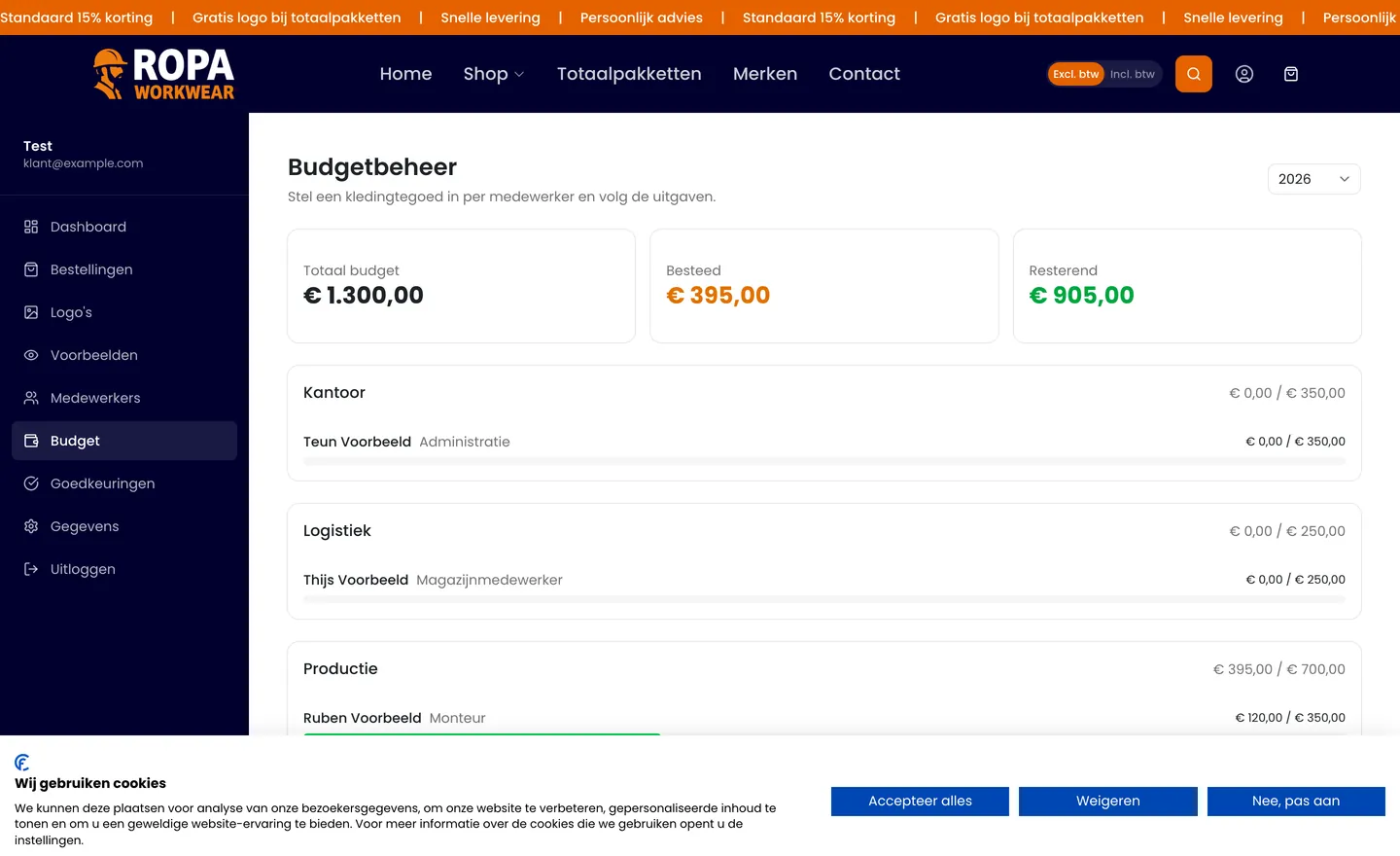
A clothing budget per employee
Every employee has an annual budget. The manager sees per person what was allocated, what was spent and what is left, without a spreadsheet running alongside.
Employees, sizes and their own portal
Shirt, trousers, shoe and jacket are recorded per person. Employees order within their budget in a separate environment and cannot reach the rest of the account.
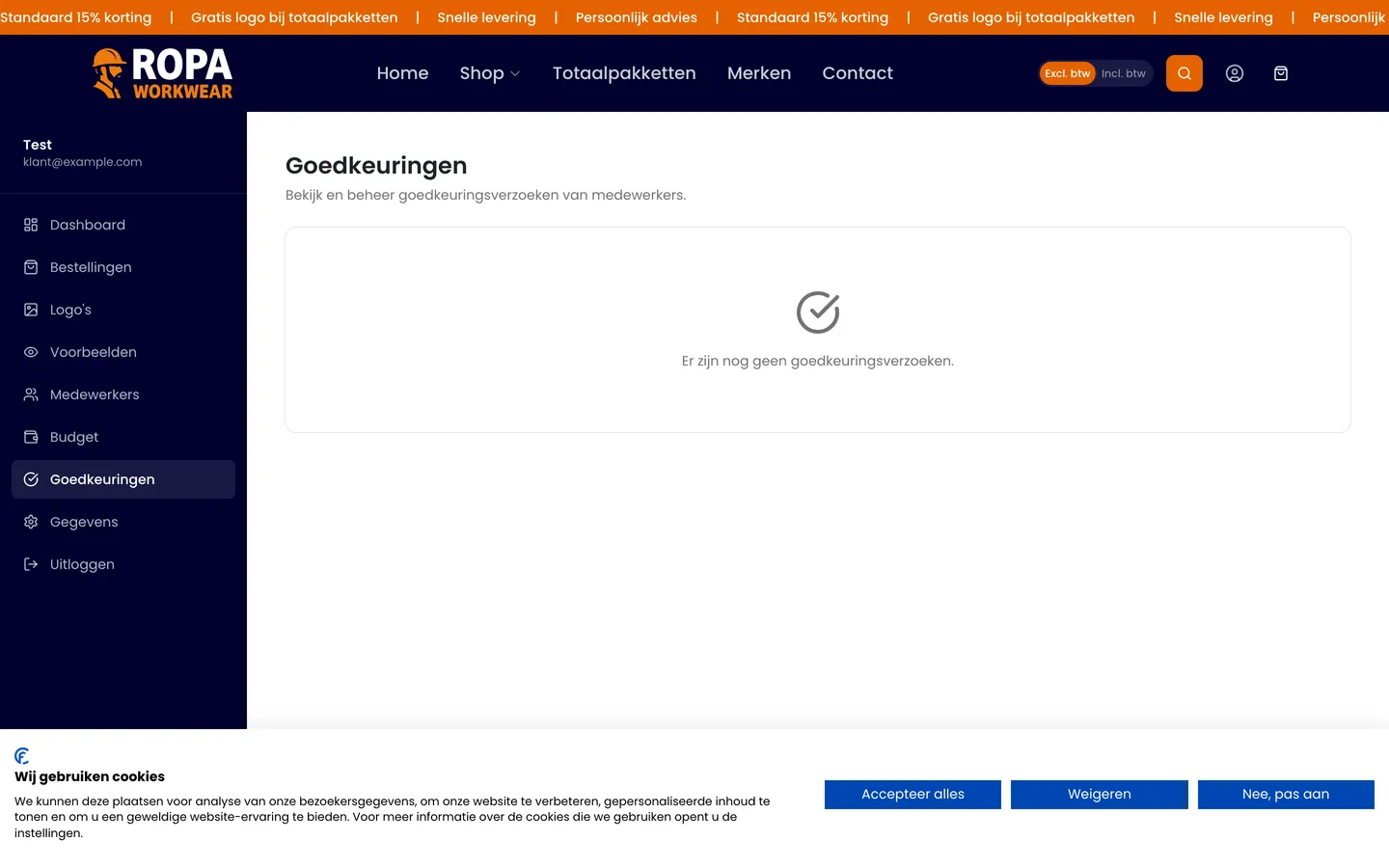
Requests routed past the manager
Anything beyond the budget goes to the manager as a request rather than into a mailbox. Amounts are recalculated on the server, so a price edited in the browser never determines what somebody approves.
Branding with an own logo library
A different logo per position on the garment, taken from the library the company supplied itself, with the price calculated straight away. Anything to be embroidered goes to the customer as a digital proof first.
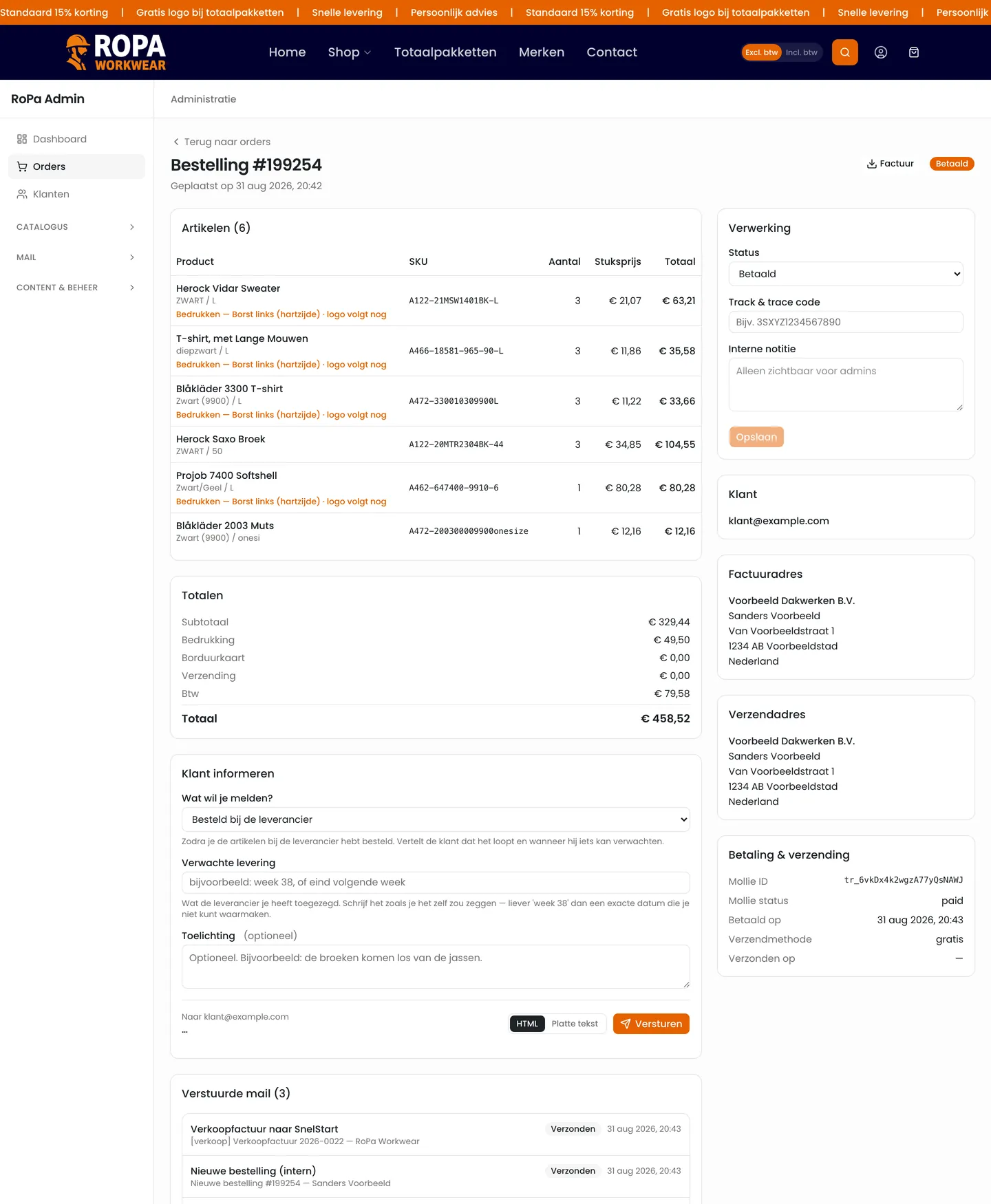
Keeping the customer informed per order
Between paid and on its way there are often weeks of purchasing and embroidery. From the order page a fitting update goes out to the customer, with the email visible next to the form. Manually, because the moment somebody wants to hear something rarely coincides with a status change.
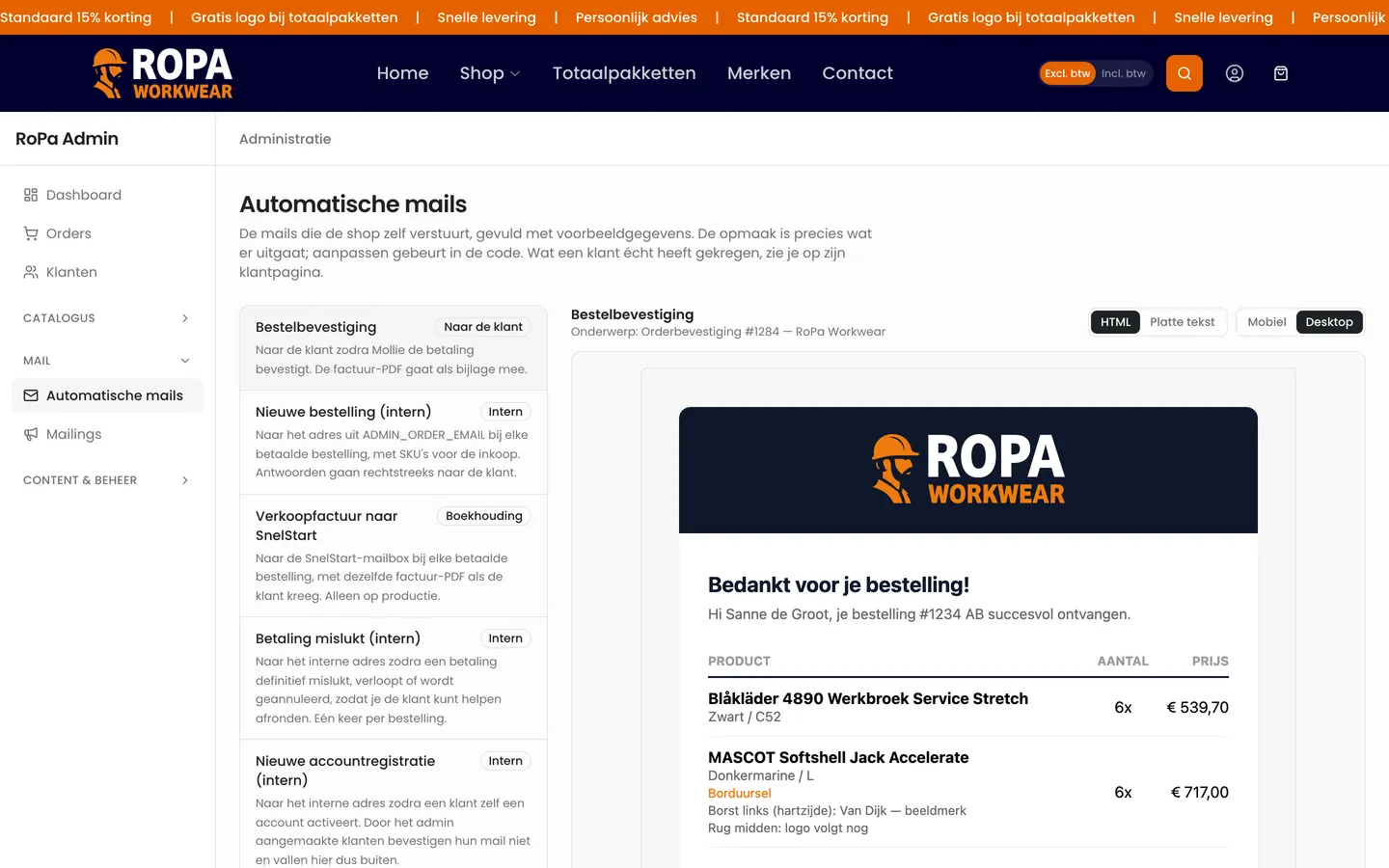
Automated emails and mailings
Every email the system sends is listed in one overview with a preview produced by the same render function as the real send. Mailings go to customers ticked one by one, in waves, after a test email.
Invoices into the bookkeeping
Every paid order forwards its sales invoice to the accounting package. The link never fails hard: bookkeeping must not be able to block an order.
The result
What changed in practice:
- Seven separate plugins became one system, so a change sits in one place
- An employee orders within their own budget; anything beyond it goes to the manager
- Sizes are recorded per person, so an embroidery job can be traced to whoever wears it
- Between paid and on its way, RoPa keeps the customer informed, with the email visible next to the form
- A recipient cannot receive the same mailing twice; that is enforced in the database
- Around 4,400 products come from the supplier feed and are updated every night
Why CRM Force
Where this case shows how we work:
- The business process at the core of the application, not as an extension to it
- Amounts calculated on the server, never taken over from the browser
- One booking moment for a budget, because two eventually count twice
- An email that cannot be automated stays a button; guessing is not a solution
- Built on Next.js, Supabase and Vercel, together with Next Win
Also running a process that does not fit a package?
We start by looking at what is already there and put the cost of building on next to the cost of starting again. If building on is the wiser option, we say so.