
The Implementation Guide: AI-Powered Salesforce Development
An interactive guide that takes you step by step through the Salesforce development landscape. With AI support, ready-to-use prompts, and practical checklists.
Why an Implementation Guide?
Salesforce implementations rarely fail because of the technology. They fail because organizations don't sufficiently understand what's happening. Consultants work in a black box, admins get a system handed over without context, and key users have to work with tools they don't understand.
The Implementation Guide was developed to fundamentally change this approach. Not a passive training you listen to, but an active guide that takes you through every phase of development — with AI as your co-pilot.
Whether you're exploring a Trailhead Playground or preparing for a major implementation: this guide gives you the structure and understanding to truly grasp Salesforce development.
The Problem with Traditional Implementations
In traditional implementation projects, you often see the same pattern:
- Consultants build, the team watches
- Documentation is technical and inaccessible
- Knowledge transfer is a one-time session at the end
- After delivery, the team depends on external help
This leads to an organization that has Salesforce but doesn't have control over it. Every small change requires external help, every question becomes a ticket, and technical debt grows invisibly.
Two Perspectives: Traditional vs With CRM Force
The Implementation Guide starts with a fundamental choice: how do you want to approach Salesforce? We show both perspectives — not to judge, but to choose consciously.
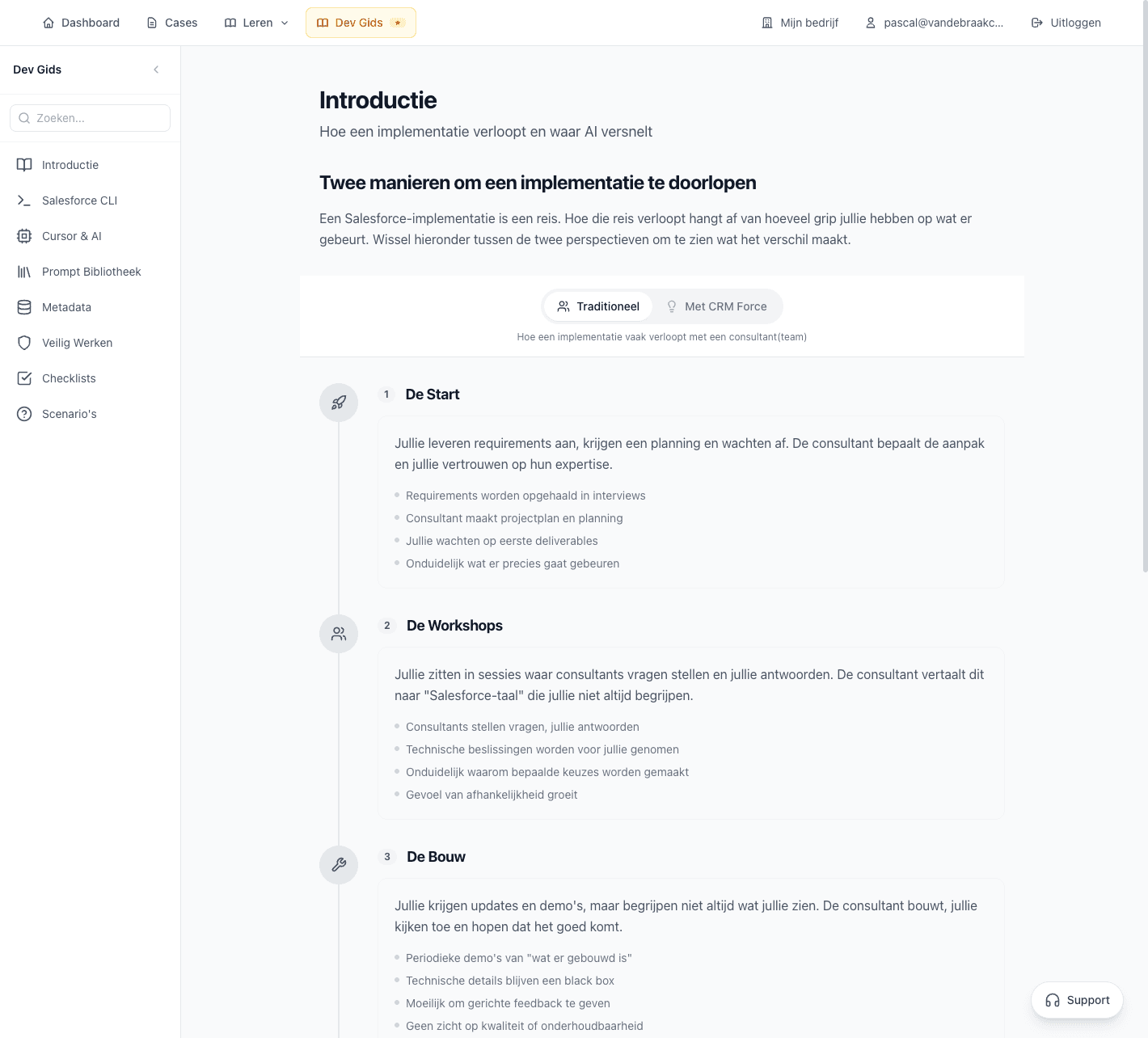
Traditional
- Consultant-driven: expertise remains external
- Black box: you don't know what's happening under the hood
- Dependency: every change requires help
- Reactive: problems only become visible during escalation
With CRM Force
- Team empowerment: expertise grows internally
- Transparency: you understand every automation
- Independence: you can analyze and adjust yourself
- Proactive: you recognize problems before they escalate
The Implementation Guide consciously chooses the second perspective. Not because consultants aren't valuable — on the contrary. But because a team that understands what's happening can work much more effectively with consultants.
The Eight Modules
The Implementation Guide is built from eight modules. Each module combines theory, practical exercises, and AI-supported tools.
Introduction: The Difference in Approach
Understand the fundamental difference between passive Salesforce use and active development. Learn why understanding is more important than just clicking.
Salesforce CLI: Command Line Basics
Install and configure the Salesforce CLI. Learn the basic commands you need to manage metadata, without having to be a developer.
Cursor & AI: Using AI Tools Effectively
Discover how to use AI tools like Cursor as your co-pilot. Not to write code you don't understand, but to learn and analyze faster.
Prompt Library: Ready-to-Use Prompts
Access a collection of tested prompts for common tasks. From flow analysis to metadata comparison — immediately usable.
Metadata: Understanding Salesforce Structure
Learn what metadata is, how Salesforce organizes it, and how to read and interpret it. The foundation for any serious Salesforce analysis.
Working Safely: Security Best Practices
Understand the risks of Salesforce development and learn how to work safely. From sandbox strategy to deployment control.
Checklists: Interactive To-Do Lists
Work with interactive checklists for every phase of your implementation. From pre-deployment checks to post-go-live monitoring.
Scenarios: Practical Examples
Walk through realistic scenarios you'll encounter in practice. From 'the flow that won't trigger' to 'the integration that fails' — with step-by-step solutions.
A Premium Part of the Platform
The Implementation Guide is part of the CRM Force Training Premium package. This means you get access to all modules, all prompts, and all interactive elements.
"The Implementation Guide isn't meant for everyone. It's meant for teams that want to seriously invest in their Salesforce maturity."
With Premium, you also get access to:
- Flow Coach: AI analysis of all your Salesforce Flows
- Flow Overview: Overview and goals for your automations
- Expert Support: Direct access to our consultants
- Case Builder: Optimization advice based on your own org
Who Is the Implementation Guide For?
The Implementation Guide is designed for four specific target groups within organizations:
Internal Consultants
Functional consultants who bridge business and technology. You'll learn how to substantiate Salesforce decisions and work more effectively with external specialists.
Salesforce Admins
Admins who want to go beyond clicking in Setup. You'll learn to understand the underlying structure and get tools to analyze and optimize your org.
Key Users
Super users who want to better understand the system. You'll learn how automations work and how to recognize problems before they escalate.
Teams Preparing to Implement
Teams preparing for an implementation or migration. You'll get the structure and understanding to actively participate in the implementation process.
AI as Co-Pilot, Not Replacement
The Implementation Guide makes intensive use of AI, but with an important nuance: AI is a tool, not a replacement for understanding.
- AI helps you learn faster, not forget faster
- Every AI-generated explanation is meant to understand, not to copy
- You learn to use AI tools critically and validate output
- The focus is on understanding and structure, not speed
This means that after working through the guide, you'll not only know how to use AI tools, but also when not to use them.
Prefer to implement together?
Salesforce in plain language. Finally.
- 14-day free trial
- No credit card required
- Expert support included
- Connect your Salesforce org instantly